Character · Today · Choices · Text · Colour · Symbols · Shape & space · Components · Placement · Motion & words · Accessibility · Enforcement
Design System
The rules every screen follows. Views use tokens, never raw values: no .font(.headline),
no .red, no cornerRadius: 10, no .padding(7).
Tokens live in Code/DesignSystem.swift, shared parts in Code/Components.swift, and
Code/swiftlint-design.yml fails the build on anything else. The pictures on this page are crops of the redesign
mockup, which is built from those two files, shown at their real point size. Everything here is a proposal until Gerry
picks.
Character
A field guide for intermediate birders: people who know a robin from a crow, own binoculars, and can't reliably split sparrows. They use it outdoors, one-handed, in bright light, often on one bar of signal. The photos of birds are the star, not the map and not the chrome. It should feel like a good printed field guide: white pages, clear type, the family on every page, and nothing that shouts except a rare bird.
Photos first
White sheets, big photos, thin frames. Nothing is coloured for decoration, so the birds bring the colour.
Readable in sun
Light is the reference design. Every text colour clears 4.5:1, and secondary text only sits on the plain sheet.
Big targets
Nothing tappable under 44 points, box buttons 60 tall, and the pickers you use most are real buttons, not small text.
Today's app, counted
An audit of every raw value in the app's 113 Swift files on September 30, 2026 (commit 6ac3e0c). Nothing is
wildly wrong on its own; together it adds up to an app with no rules.
| What | Count | The worst of it |
|---|---|---|
| Text styles | 14 styles, 34 places | Section headings and list rows are both plain .headline. The scientific name is styled two ways. |
| Colours | 16 colours, 73 places | The accent is system blue, but the icon and the brand are orange. The accent is written three ways. Red means four things: the location warning, every sighting on the map, a destructive button, and Critically Endangered. |
| Brand orange | 1 use | #FF6800, with white text on it at 2.9:1, which fails. It isn't the icon's orange (#F98F18) either. |
| Corner radii | 5 values, 10 places | One radius, 10, rounds the buttons, the sheet itself and the app icon. Thumbnails are 3, photos 5, a tag 4 (borrowed from a padding). |
| Padding | 13 amounts, 38 places | Four are negative offsets to undo other padding, one marked "TODO: fix this hack". |
| Animations | 8 kinds, 25 places | The sheet snaps with .snappy, scrolls with .spring, the title with .easeInOut, and 14 places take the default. |
| Symbols | 21 in use | square.and.arrow.up means both Share and Open Website. Errors use a triangle for photos and a circle for audio. A weather symbol sizes the menu icons. |
| Shadows | 2 | Radius 1, default colour, in two offsets. |
Choices for Gerry
Each choice is drawn three ways on the same content. The proposed option is marked; the rest of this page is built on it. Tap to see them big.
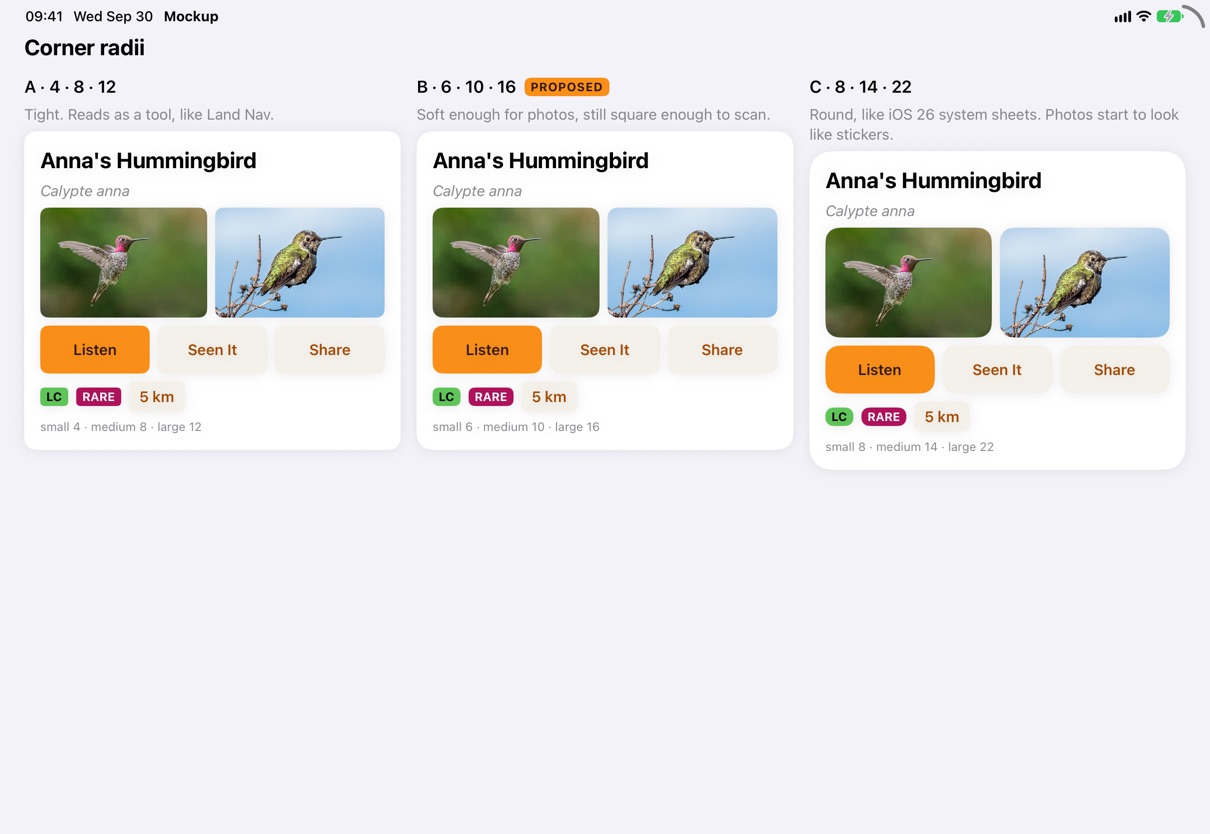
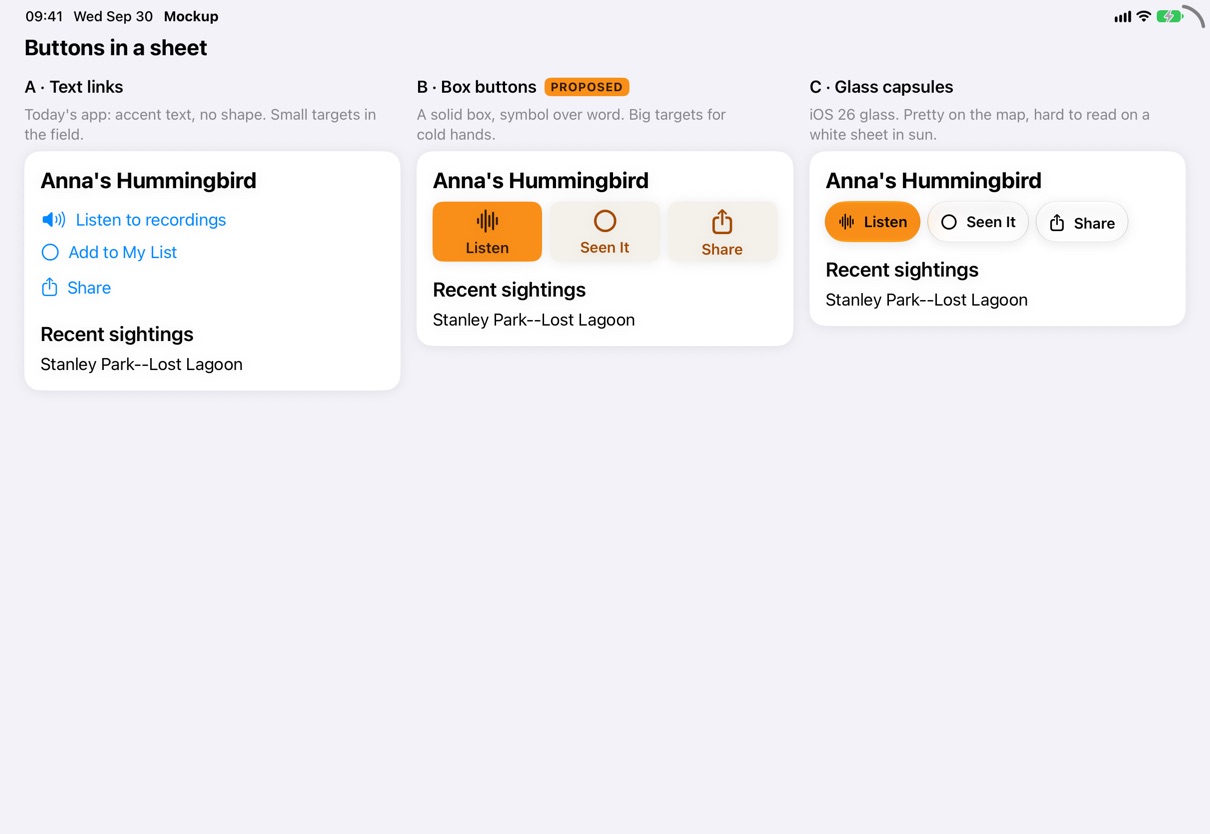
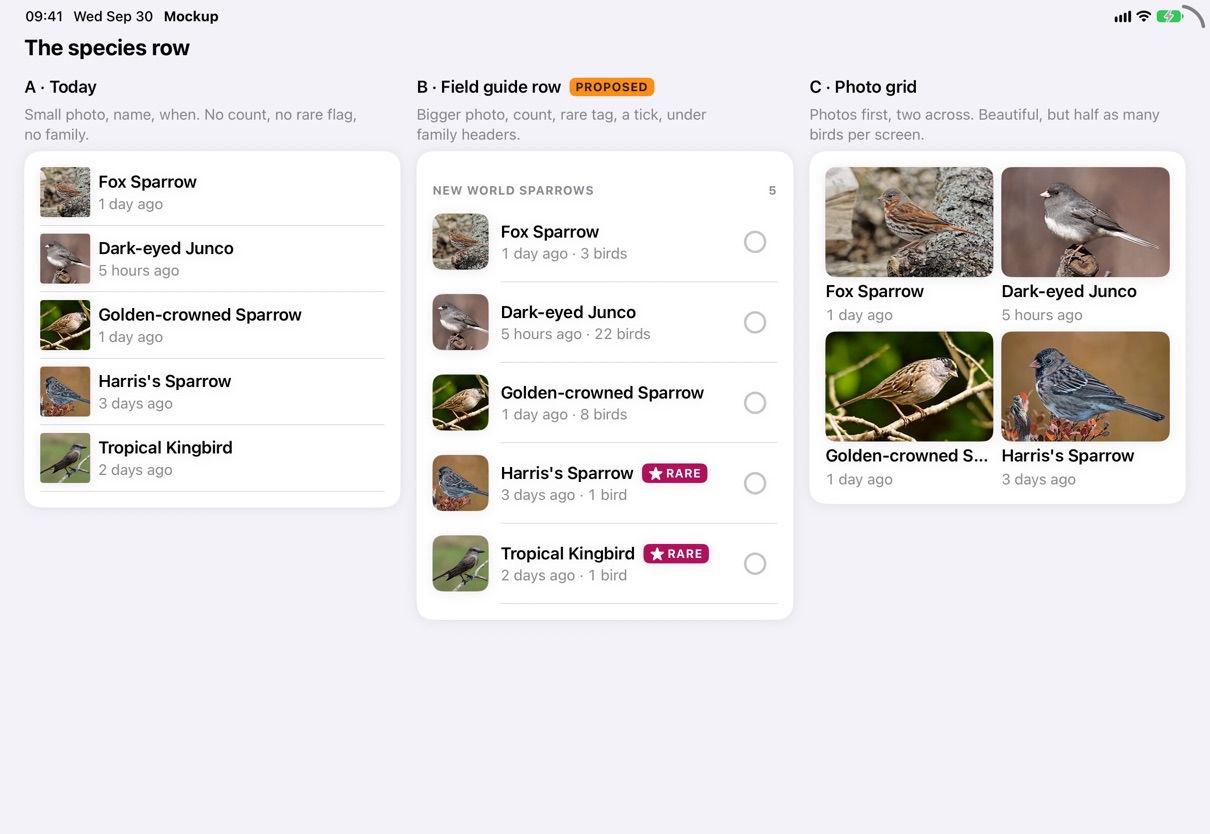
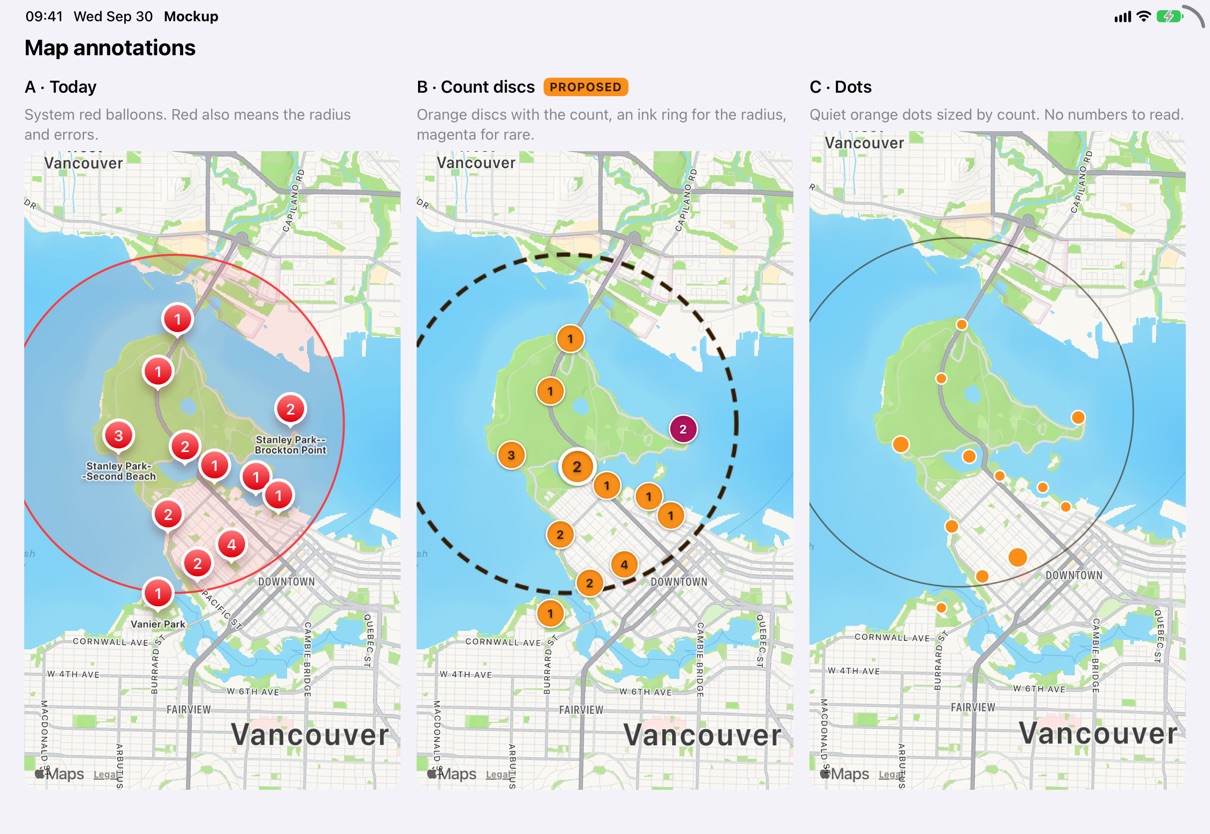
Text
Twelve roles, applied with .textRole(_:). Each is a Dynamic Type style, so all text scales with the user's text
size. Samples are at the default size.
| Role | Sample | Style | For |
|---|---|---|---|
title | Anna's Hummingbird | Title 2, bold | Every sheet's title, always with a subtitle |
subtitle | Vancouver, BC · 113 species | Subheadline, secondary | The line under a title |
scientific | Calypte anna | Subheadline, italic, secondary | Every scientific name, the one way |
section | Recent sightings | Title 3, bold | Headings inside a sheet |
name | Golden-crowned Sparrow | Headline | A species in a row or card |
body | Stanley Park--Lost Lagoon | Body | Article text, other rows |
detail | 2 days ago · 3 birds | Subheadline, mono digits, secondary | When and how many |
caption | From Wikipedia · CC BY-SA | Caption, secondary | Attributions, footers |
label | New World Sparrows | Caption, bold, uppercase, 0.6 tracking | Family headers and tags only |
button | Listen | Subheadline, semibold, Title Case | Box buttons, pickers |
badge | Location Off | Footnote, semibold | Map badges |
mapLabel | Jericho Beach Park | Caption, bold, with a halo | Names on the map |
name or title; the scientific name is
always scientific, italic and never bold, the way every field guide prints it.label. Buttons are Title Case
button. Never call .uppercased().Font.drawn(_:),
because it scales with the disc, not with Dynamic Type.Colour
Every colour has one job, and goes through Palette. Ratios are WCAG contrast, measured.
Conservation status
The IUCN Red List's own colours, so they match every other field guide that uses them.
accentText.raised.Symbols
SF Symbols only, named in Symbol. Two ideas never share a symbol, and one idea never has two. On their own they
come in two sizes: IconSize.control (17 pt semibold) for map buttons and header circles, and IconSize.large
(22 pt semibold) for box buttons and the tick.
| Idea | SF Symbol | Idea | SF Symbol |
|---|---|---|---|
| Nearby | binoculars.fill | Search | magnifyingglass |
| Rare Bird Alert | exclamationmark.bubble.fill | Rare tag | star.fill |
| My List | checklist | Menu | line.3.horizontal |
| Seen it (ticked) | checkmark.circle.fill | Not ticked | circle |
| Listen | waveform | Play · Pause | play.fill · pause.fill |
| Share | square.and.arrow.up | Open a website | arrow.up.right.square |
| My location | location.fill | Location off | location.slash.fill |
| Radius | circle.dashed | Days back | calendar |
| Sort | arrow.up.arrow.down | A picker | chevron.up.chevron.down |
| Sightings, a place | mappin.and.ellipse | Photos | photo.on.rectangle |
| Settings | gearshape.fill | About | info.circle.fill |
| Support | heart.fill | Offline | wifi.slash |
| Any error | exclamationmark.triangle.fill | Close | xmark |
Shape & space
Tags, the conservation code
Photos, thumbnails, cells, box buttons
The sheet and the iPad column
A 4-point grid
Sizes
| Token | Points | For |
|---|---|---|
touch | 44 | Nothing tappable is smaller |
thumbnail | 56 | A species photo in a row (today 50) |
photoStrip · photoStripLarge | 132 · 220 | The photo strip at half and full height (today 120 · 200) |
boxButton | 60 | A box button's height |
marker | 28 | A sighting disc on the map |
Components
Build sheets from these. A new part gets added here before it is used twice.

SheetHeader
Every sheet's top row: a title, a subtitle that says something useful (the
locality and count, or the scientific name), and a close circle. It is what shows when the sheet is small.

PickerChip
Radius, days back and sort, always in the Nearby header. They look like today's text
pickers but are 44 points tall, on a raised capsule, so a cold thumb hits them.
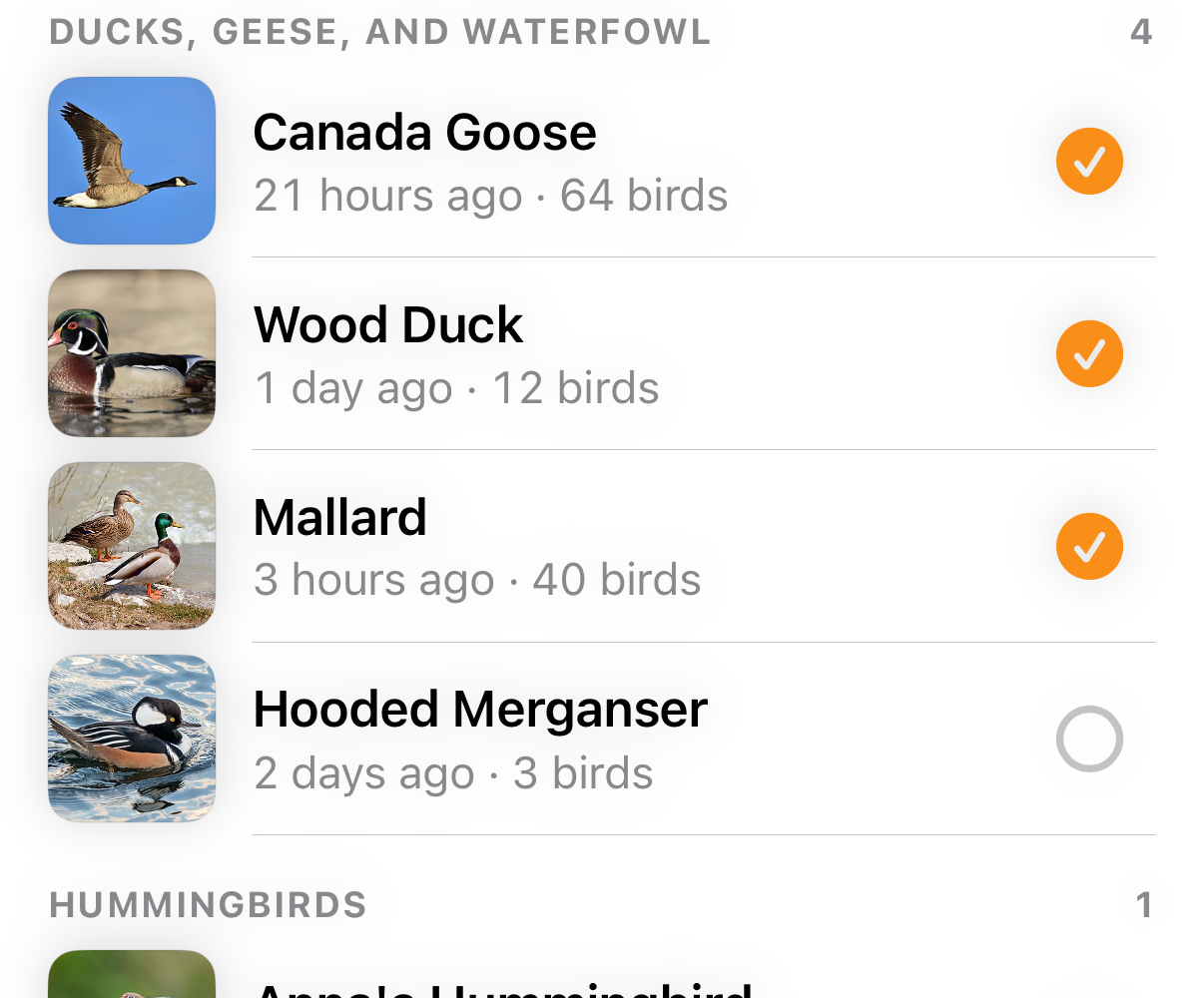
FamilyHeader and SpeciesRow
Species sit under their family in field-guide order.
A row is a 56-point photo, the name, then when and how many in detail, a Rare tag when eBird flags it,
and the tick. The tick is the only way onto My List.
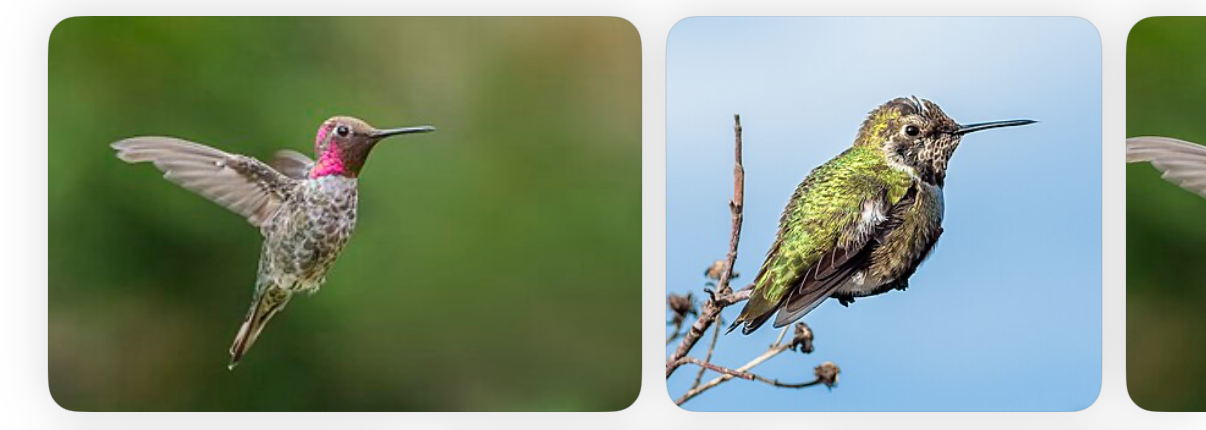
Photo strip
The first thing on a species. The lead photo is Wikipedia's, which is curated, then Flickr's. The first photo is wider. Tap for full screen.

ActionRow of BoxButtons
Up to four boxes: IconSize.large over
button text in Title Case. The first may be primary, in orange with dark ink. The rest are raised.
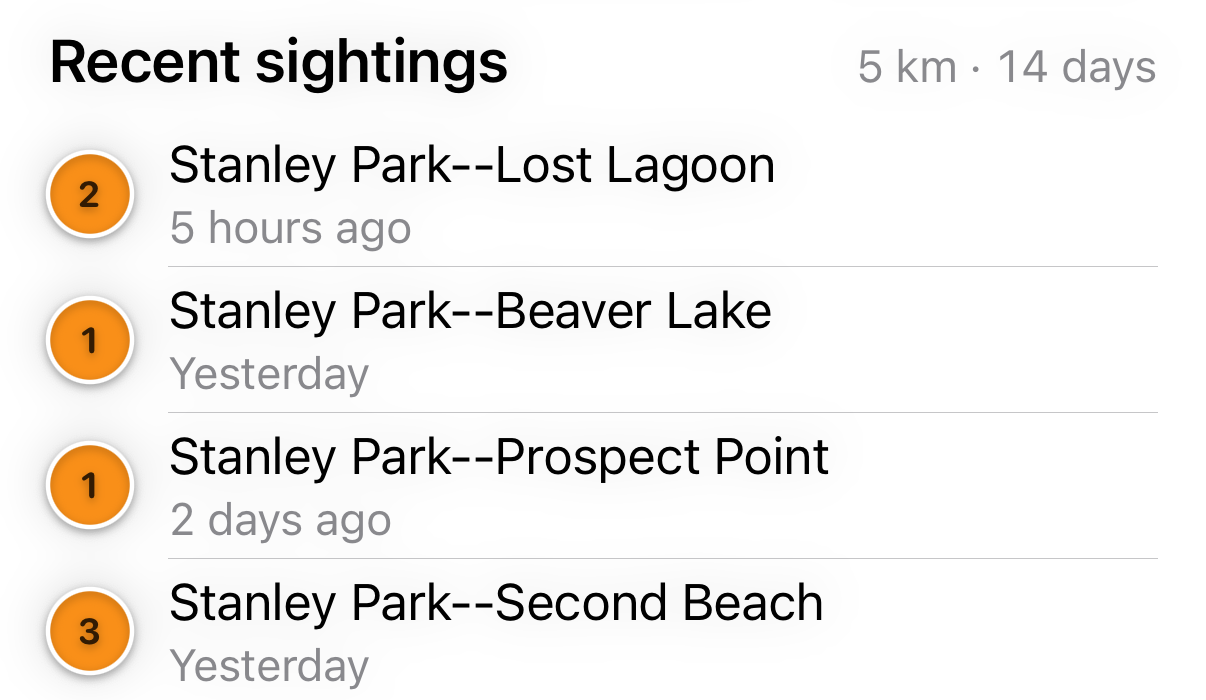
Recent sightings
A section heading that states its scope ("5 km · 14 days"), then one row per
place with the same disc the map draws. Tap a row and its disc grows on the map; tap a disc and its row is highlighted.
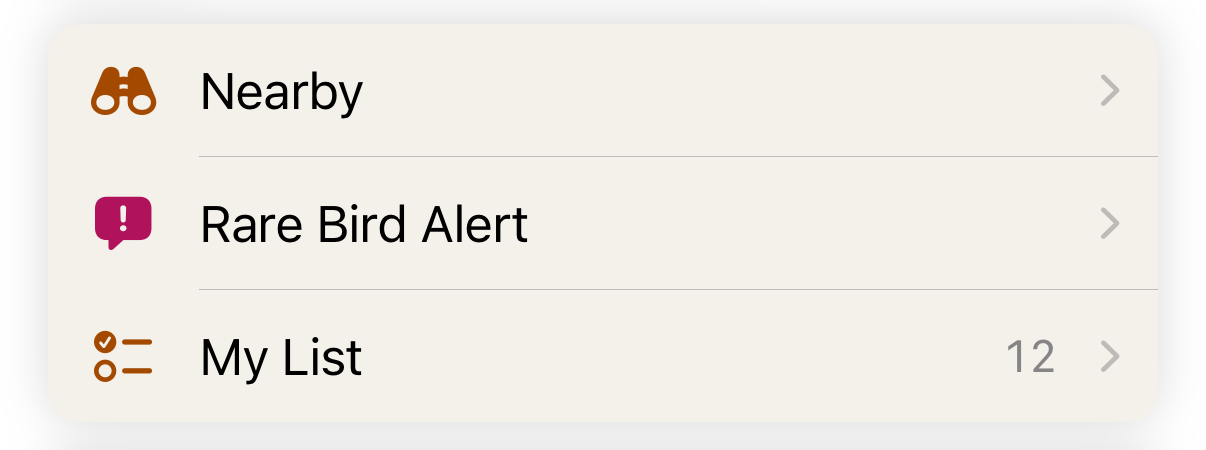
RowGroup of ListRows
Menus, settings and links: rows on one raised block
with the medium corner. Symbol in accentText (magenta for Rare Bird Alert), body title, optional
detail, and a chevron when it opens something.
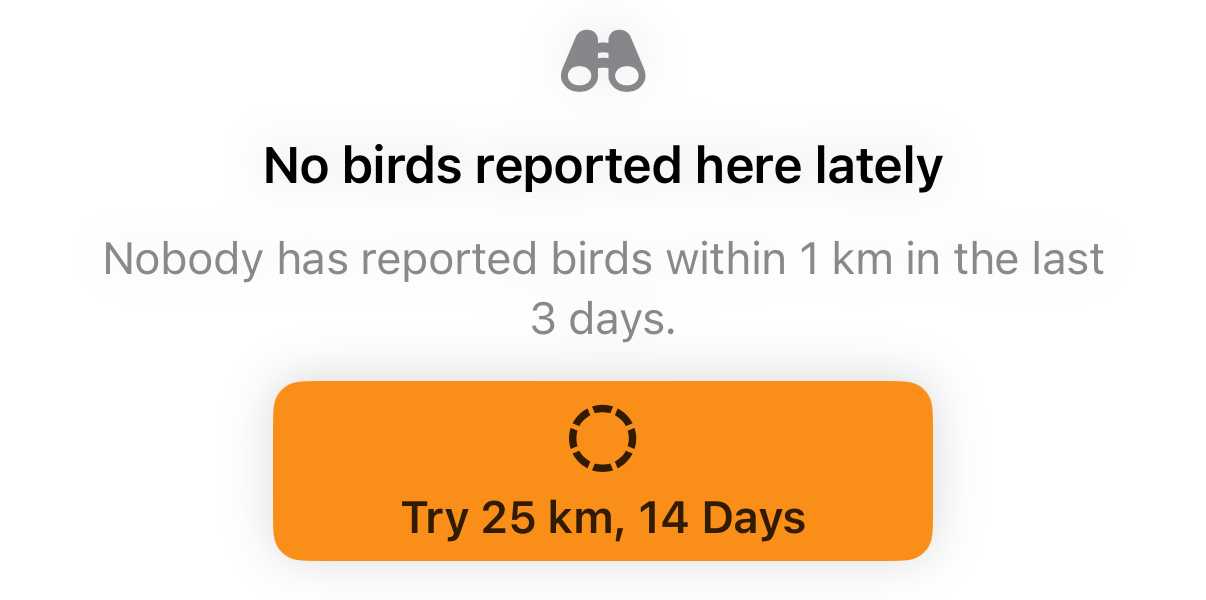
EmptyState
What a sheet shows with nothing in it: a symbol, one line that says why, and one primary way out. Every sheet has one, and an offline version that shows the last list and its time.
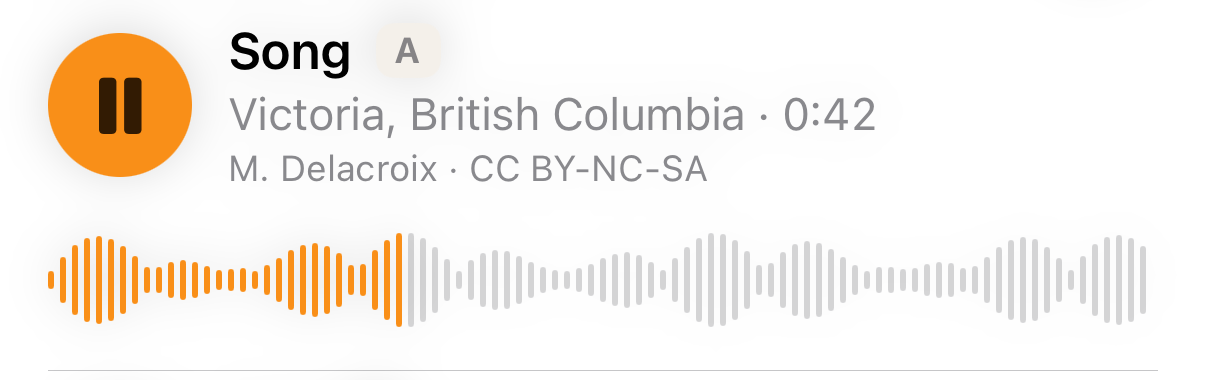
Recording row
A round play button, the type as name, place and length as detail,
the recordist and licence as caption. The one playing is orange and shows its waveform.
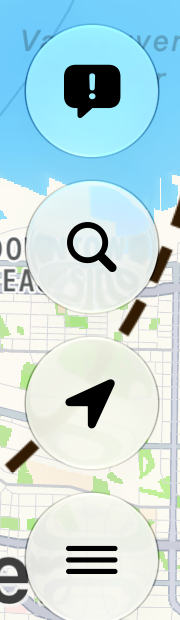
MapButton, MapBadge and SightingMarker
Floating on the map. Map buttons are 44-point glass circles, stacked just above the sheet's trailing edge so they're in thumb reach. Badges are capsules: red for something wrong, orange for My List and Support, glass for quiet status. Sighting discs: 3 a sighting, ★ a rare one.
Placement
The map is the app
Every surface is a sheet over the map. The top sheet decides what the map shows. Only the full-screen photo viewer and the share sheet cover it.
Two taps to a bird
Launch opens Nearby. Tap a bird and you're there. The stack is never more than three deep.
Controls in the bottom half
Pickers in the sheet header, map buttons above the sheet. Nothing you use often lives at the top of the screen.
The knobs stay on Nearby
Radius, days and sort are in the Nearby header, never in Settings. Settings has three things.
One primary action
The first box button, in orange. One per sheet.
Destructive is red and last
Discard a list, remove a bird: red text, at the bottom.
Motion & words
Motion
One animation, Animation.standard: snappy, 0.25 seconds, no bounce, for every
state change, including the sheet's snap. Nothing moves on its own except the map and a playing recording. Respect Reduce Motion.
Words
Title Case for titles and buttons, sentence case for everything else. A button is one or two words: "Listen", "Seen It", "Share". Say what happened, plainly: "Nobody has reported birds within 1 km in the last 3 days." Same thing, same word: sighting, species, My List, Rare.
Accessibility
- Every role scales with Dynamic Type. Sheets scroll; nothing is clipped at the largest sizes.
- Every text colour clears 4.5:1 on its background, in light and dark. Orange is never text.
- Rare is a word and a star as well as a colour, so it doesn't rely on seeing magenta.
- Every icon-only button has a label: the map buttons, the close circle, the tick ("Add to My List", "On My List").
- Recordings keep playing with the screen locked, and show where they are for VoiceOver.
Enforcement
Code/swiftlint-design.yml has seven custom rules, all errors, all skipping DesignSystem.swift.
VStack(spacing: 10) {
    Text("LISTEN")
        .font(.caption2.weight(.bold))
        .foregroundStyle(.orange)
        .uppercased()
    Image(systemName: "speaker.wave.3.fill")
}
.padding(14)
.background(Color(white: 0.24),
    in: .rect(cornerRadius: 12))
withAnimation(.spring) { … }VStack(spacing: Space.xs) {
Image(systemName: Symbol.listen)
.font(IconSize.large)
Text("Listen")
.textRole(.button)
}
.padding(Space.m)
.background(Palette.raised,
in: .rect(cornerRadius: Radius.medium))
withAnimation(.standard) { … }| Rule | Catches | Use instead |
|---|---|---|
design_font | .font(.headline), .font(.system(size:)) | .textRole, IconSize, Font.drawn |
design_colour | Color(white:), .accentColor, .foregroundStyle(.red), .brandOrange | Palette |
design_radius | cornerRadius: 10, .cornerRadius(5) | Radius |
design_spacing | spacing: 10, .padding(14), .padding(-10) | Space |
design_uppercase | .uppercased(), .tracking(), .textCase() | .textRole(.label) |
design_animation | .spring, .easeInOut, .snappy | Animation.standard |
design_symbol | Image(systemName: "gear") | Symbol |
Proven
Run over DesignSystem.swift and Components.swift, the rules find nothing. Run over the file on the
left, every rule fires and SwiftLint exits 2:
Violation.swift:8:16: error: Design system: spacing Violation: Use a Space value. (design_spacing)
Violation.swift:10:17: error: Design system: text role Violation: Use .textRole(_:) for text, IconSize for symbols, or Font.drawn(_:) inside a drawing. (design_font)
Violation.swift:11:17: error: Design system: palette Violation: Use a Palette colour. (design_colour)
Violation.swift:12:17: error: Design system: uppercase Violation: Uppercase text is the .label role; write the string in Title Case. (design_uppercase)
Violation.swift:13:19: error: Design system: symbol Violation: Name the symbol in Symbol, one symbol per idea. (design_symbol)
Violation.swift:15:9: error: Design system: spacing Violation: Use a Space value. (design_spacing)
Violation.swift:16:21: error: Design system: palette Violation: Use a Palette colour. (design_colour)
Violation.swift:16:51: error: Design system: radius Violation: Use .clipShape(.rect(cornerRadius: Radius.small, .medium or .large)). (design_radius)
Violation.swift:17:25: error: Design system: motion Violation: Use Animation.standard. (design_animation)
Run over today's app, they find 81 errors: 31 fonts, 17 colours, 16 paddings and spacings, 11 radii, 3 animations, 2 symbols and 1 uppercase. That is the migration list. (The rules catch the obvious forms; the audit above counts every use.)
Birds Near Me 2 • Send Feedback • Birds Near Me 1 • © 2026 Gerry Shaw